Next to my daily job at Nutanix, I always have a list of ideas I would like to build. The thing is, I’m not a developer. I know my way around cloud, hypervisors, storage, and networking, but writing an actual application from scratch? That was never my thing, or so I thought.
Over the past period, I started using Claude to turn those ideas into working apps. Not slideware, not a demo that only works on my laptop, but apps that run at home and that my family can actually use. In this blog post, I would like to take you through what I built, what I learned along the way, and how I set up the plumbing to run it all.
From idea to app
My approach is pretty simple. I describe what I want, the same way I would explain it to a colleague. Claude asks the questions I didn’t think of, proposes an approach, writes the code, and helps me get it running. I test it, tell it what I don’t like, and we go another round. Meaning, I spend my time on what the app should do, not on fighting syntax.
Let me show you two examples.
Example 1: a flight finder that fits our family
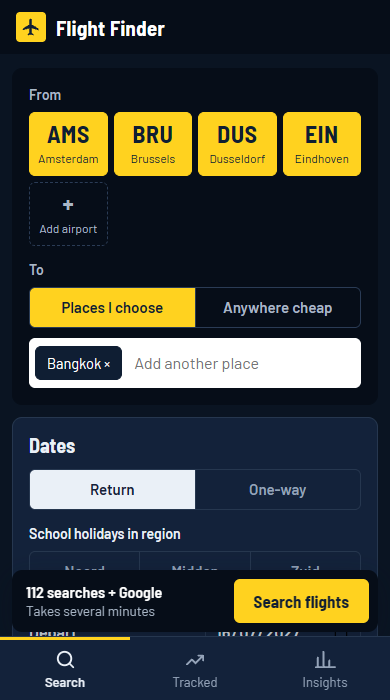
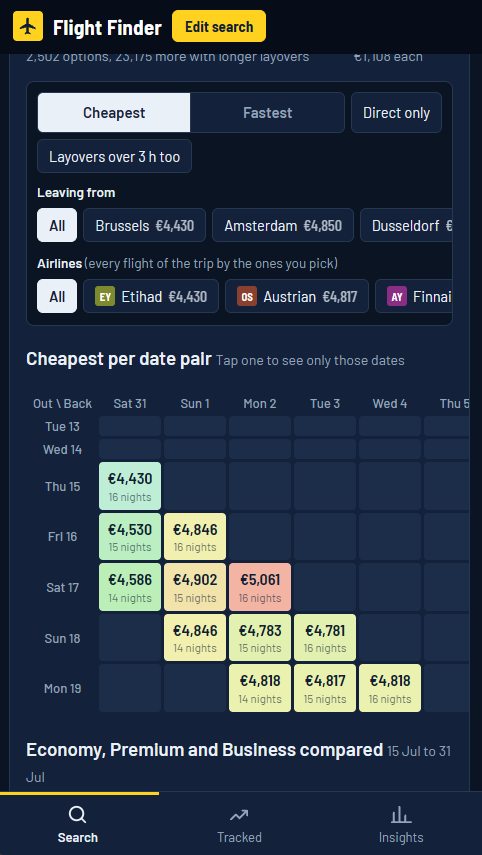
We travel as a family of four, and booking flights always drives me a bit crazy; multiple searches across multiple platforms are typically needed to find the right flight. When are tickets cheapest? Which departing airport works best, as we have some in relative proximity? I use Google Flights and similar tools, but they don’t always give me the complete picture. So I built my own tool that finds flights, maps out the best dates to fly, and can even track pricing and provide insights into the best dates to travel.
It searches from four departure airports by default: Amsterdam (AMS), Brussels (BRU), Düsseldorf (DUS), and Eindhoven (EIN) in one search. It only shows direct flights or flights with one stop, because nobody in our family wants to sit at a third airport with two teenagers. The app runs in a Docker container at home, behind a reverse proxy with SSL and Google sign-in. On the backend, it uses an API with Amadeus and a web crawler plugin to verify results and to see what is missing, as the API comes with some limitations.
Example 2: Viniels, my vinyl collection
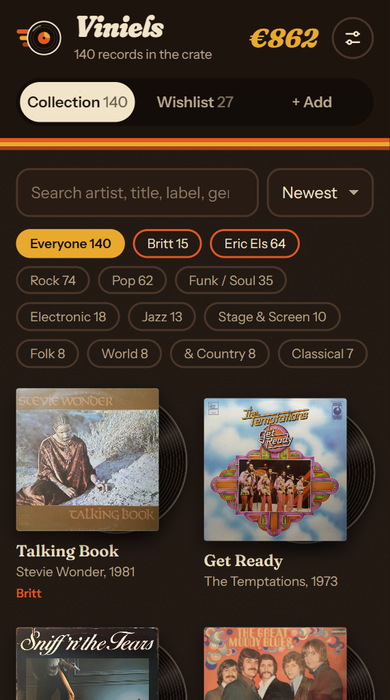
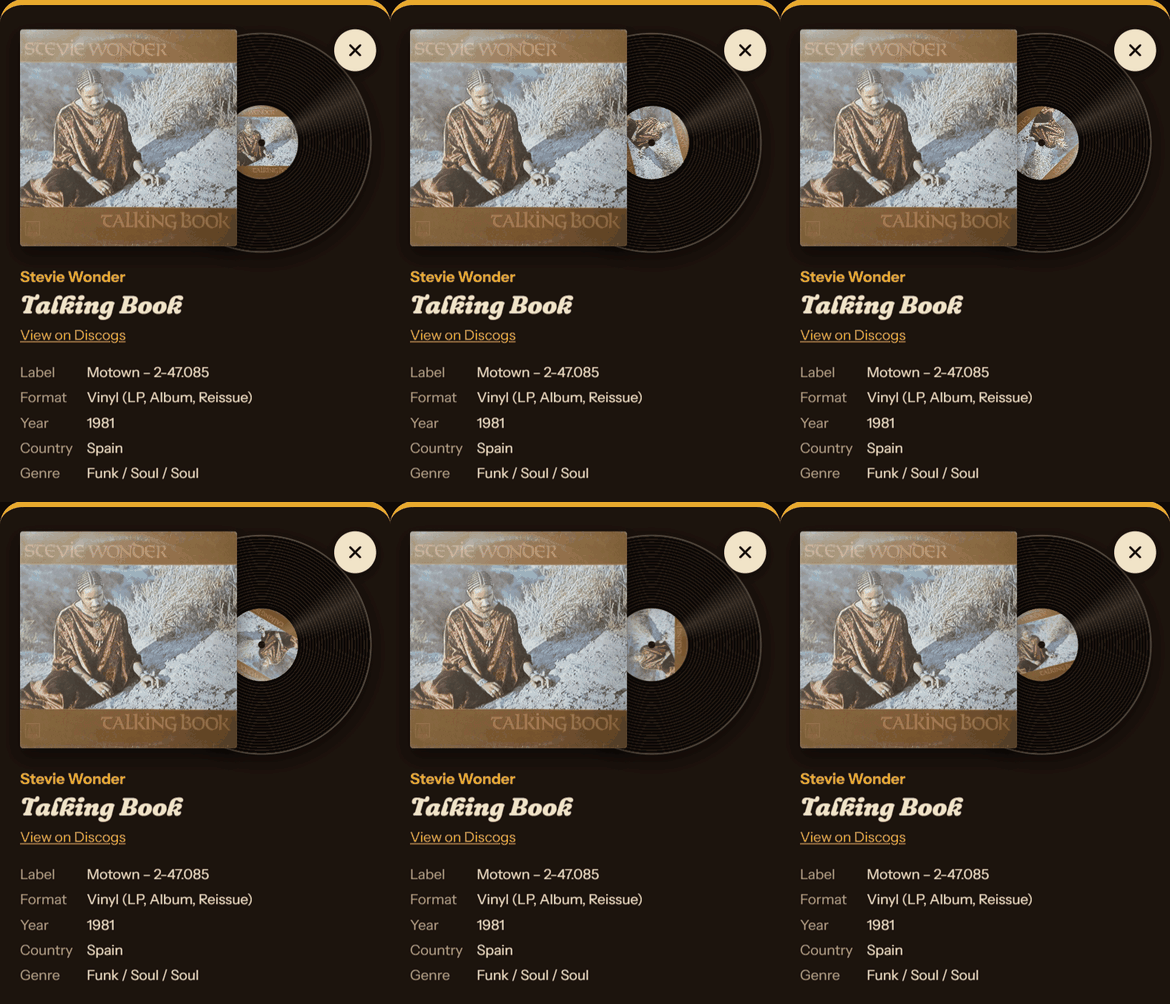
Next up is Viniels (yes, vinyl plus Niels 😉 — a friend came up with that name). I wanted a lightweight version of Discogs to keep track of my record collection. You scan the barcode on the sleeve, or type in the barcode number, and the app looks up the record through the Discogs API. Done. The whole family can browse the collection, and I really dig the vintage look and colour scheme we ended up with. It lets us filter down who owns the records, as my parents-in-law donated quite the collection, but also my daughter is a fan of music and has her own collection.
And it doesn’t stop there…
Once you get going, the list grows quickly. Two more I’d like to call out are work-in-progress:
- Handpicks: an affiliate platform on a product-agnostic domain, where every niche gets its own page. The first niche is office chairs, with Herman Miller as an affiliate partner. I host it myself, and the goal is to automate as much as possible, including the social media side.
- Aureli Exclusives: even my wife got in on the action. Aureli Exclusives is the website for the handmade butterfly domes and frames.
Next to those, I’m playing with a fuel price tracker for the Benelux, Germany, and France, and I even built something for work: an NC2 on Azure precheck that helps new customers verify their landing zone prerequisites before deploying Nutanix Cloud Clusters (NC2).
The learning curve: CI/CD and friends
Writing the code turned out to be the easy part. Running the apps properly is where I learned the most. When you build one app, you can copy files to a server by hand. When you build five, you need a proper setup. So that’s what I did.
I run Ubuntu servers on NUCs at home. Every app lives in its own GitHub repository, and a CI/CD pipeline handles the rest: I push a change to GitHub, and the pipeline deploys the new version to the right container platform. The data is automatically backed up. And because I don’t want my family’s records and travel plans on the open internet, everything sits behind a reverse proxy with SSL and Google authentication.
The funny thing is, a lot of this felt familiar. Containers, certificates, networking, backups: that is the infrastructure side of the house, and that’s my comfort zone. Wiring a GitHub pipeline to my own servers was fun to set up. Claude really helped me set this all up.
A few lessons learned so far:
- One repo per app. Keep your apps separated. A broken change in one app should never drag the others down with it.
- Automate the deployment from day one. Setting up the pipeline costs some time up front, but after that, shipping a fix takes a single push.
- Think about your data. Once your family uses an app, the data in it matters. Back it up.
- Understand what you run. Let the AI write the code, but make sure you know how the pieces fit together. You are the one who has to fix it when something breaks.
To conclude
A few weeks ago, I had a list of ideas and zero programming experience. Today, I have a home server with a CI/CD pipeline and a handful of apps my family uses. Is every line of code perfect? Probably not. But the apps work, they solve real problems for us, and I learned a ton along the way.
If I can do it, you most certainly can!